 Spendora
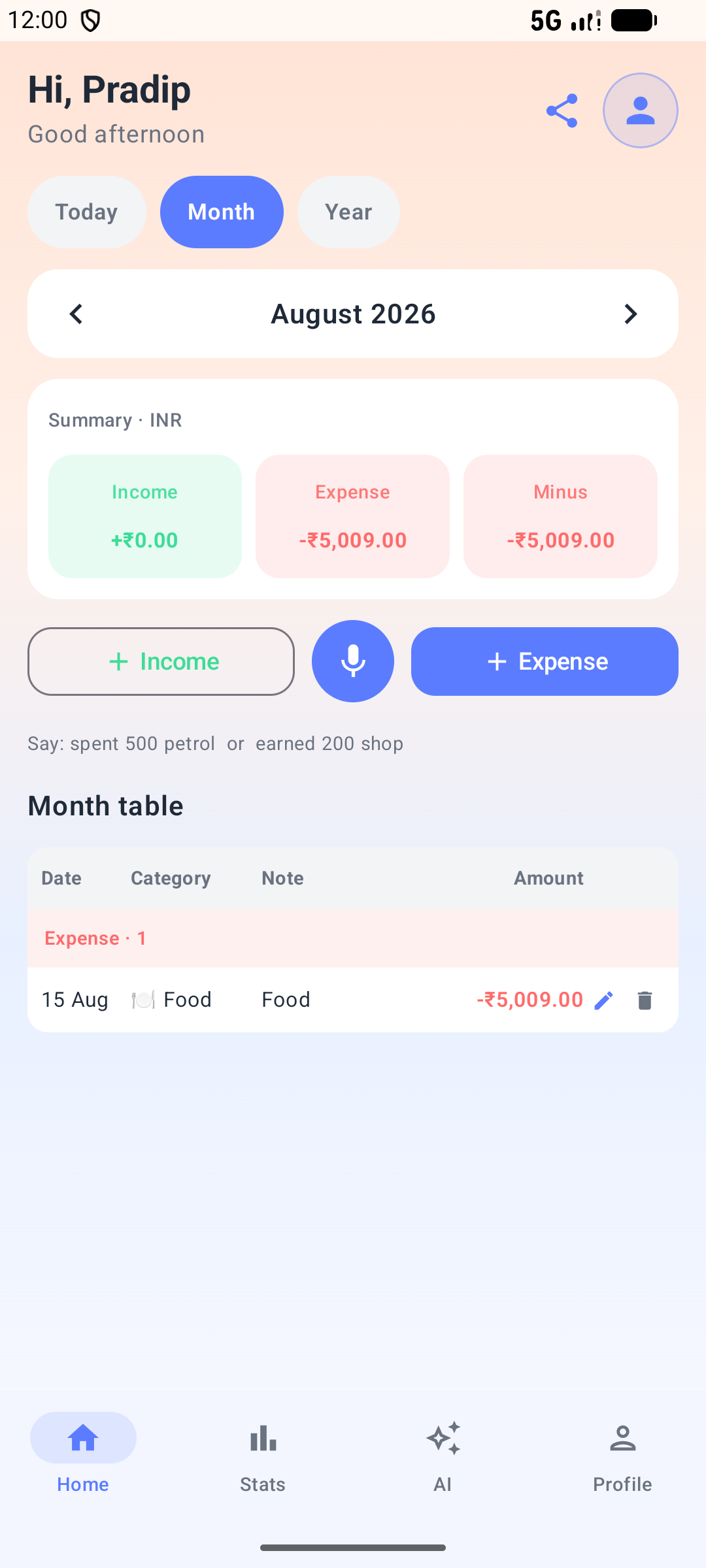
01 · Home
Daily ledger
Today / Month / Year views, income & expense summary, voice entry, and a clear transaction table.
Daily ledger, on-device SMS & Gmail suggestions, Smart Coach teaching, Drive backup, and reports — built for real phone use.
See income and expenses for a selected day. Add, edit, or delete entries. Categories, payment methods, and your preferred currency symbol.
Speak a transaction when typing is slow. Uses on-device speech recognition where available (microphone permission when you use this).
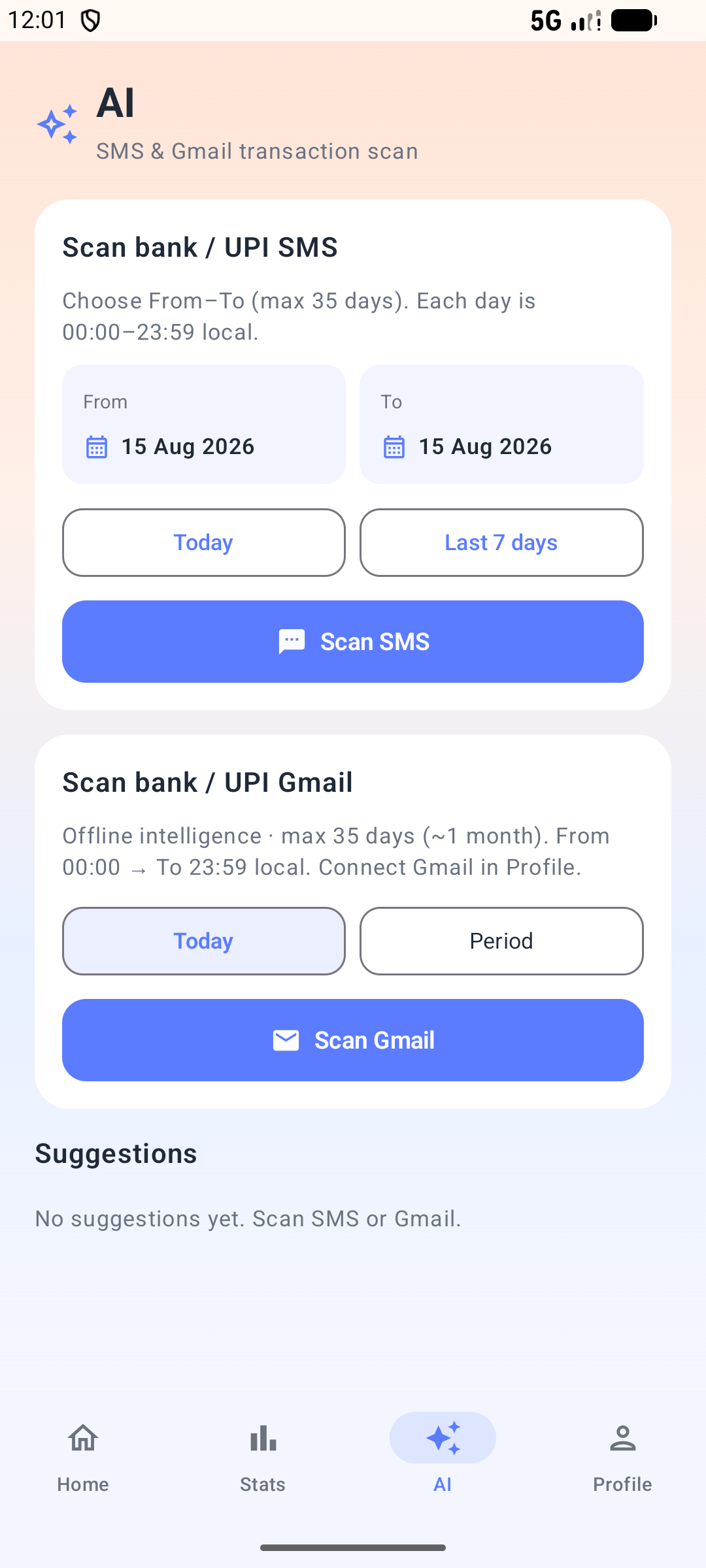
With SMS permission, scan Today or a From–To range (up to 35 days). Detects completed debit/credit bank and UPI messages; skips offers and “due to pay” reminders. You confirm before saving.
After Google Sign-In with gmail.readonly, scan bank/UPI emails for Today or a period. Parsing runs on your device with a knowledge-base rule engine — not a cloud AI API. Same review-before-add flow as SMS.
Paste one sample message, choose type (Expense / Income / Refund / Ignore), set a keyword and note. When that keyword appears later, Spendora forces your note (e.g. FNL DIV → Dividend -CREDIT), overriding weaker guesses like bank footers.
Paste 5–10 sample messages from the same merchant. Offline heuristics draft type, merchant, aliases, keywords, category, and note template. You review and Save.
Create a knowledge-base snapshot when you choose. Restore an earlier copy if a teach rule goes wrong. Teaching does not auto-create backups.
Handles UPI paths, salary ACH credits, dividend-style narrations (via teach), and bill-pay mirrors (e.g. credit-card “payment received” acknowledgements that should not double-count).
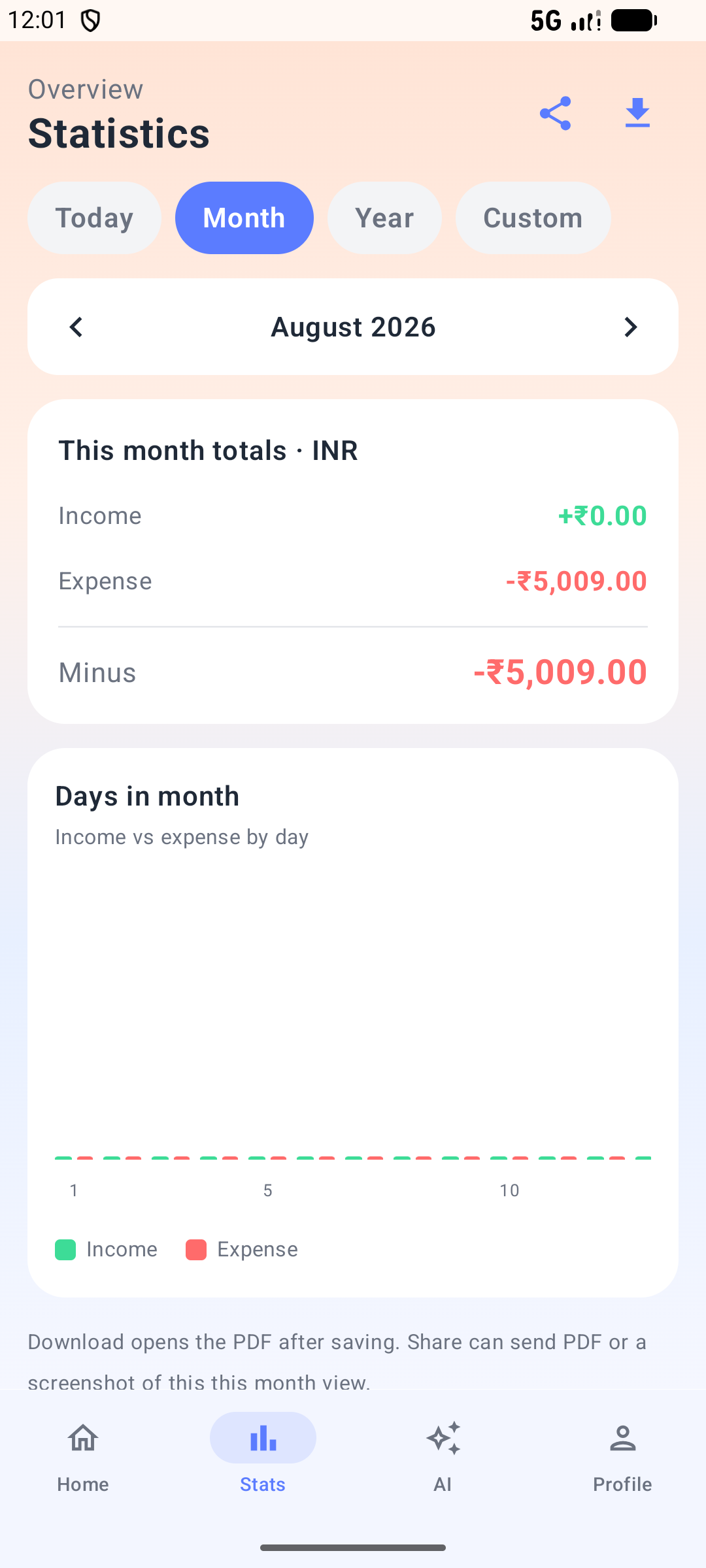
Period views including custom date ranges. Income, expense, and savings totals with category breakdowns.
Export a report for the selected stats period and share it via Android share sheet.
Optional connect creates a Spendora folder in your Drive (drive.file — files the app creates). Backup now or keep scheduled backup enabled.
Remove transactions — Full, Today, or a period. Requires typing DELETE and unlocking the phone. Profile stays unless you disconnect Google separately.
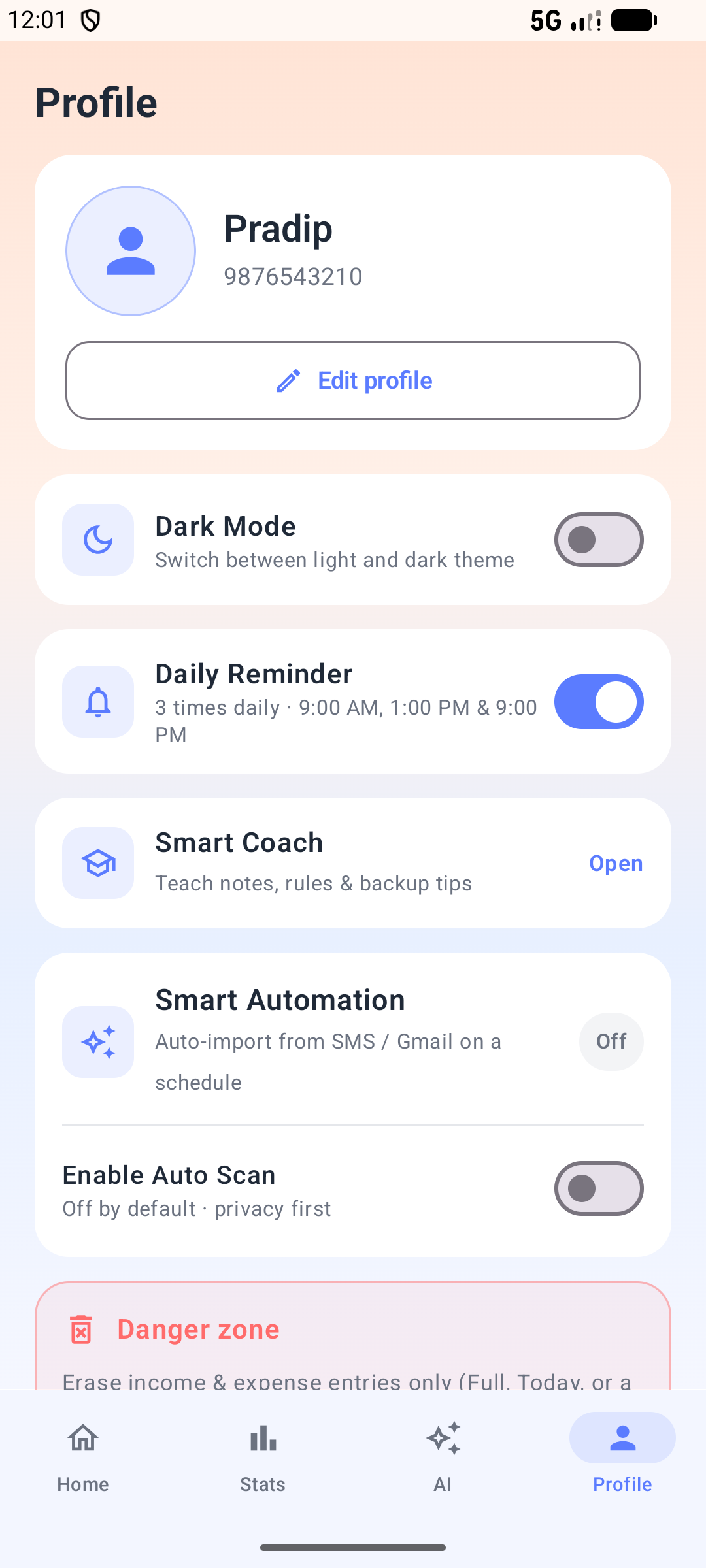
Optional scheduled SMS/Gmail import (off by default). Pick Auto Scan time; Daily Reminder at 9 AM / 1 PM / 9 PM stays separate. You still review suggestions before save.
Name, mobile, photo, currency, dark mode. Local restore from a backup file on login if needed.
Permissions
Install works without SMS or mic. Permissions appear when you use those features.
Only for optional bank SMS scan. Content stays on device; not uploaded to a Spendora server.
Only for voice entry.
Google Sign-In, Drive backup, and fetching Gmail for scan. Parsing itself is on-device.
Screens
Captured from the live Android app.
01 · Home
Today / Month / Year views, income & expense summary, voice entry, and a clear transaction table.
02 · Stats
Period totals, day charts, and share or download a PDF report for the selected range.
03 · AI
Pick a date range, scan bank or UPI messages, then review suggestions before anything is saved.
04 · Profile
Daily reminders, Smart Coach, and optional Smart Automation — Auto Scan stays off until you enable it.
Read how Gmail, SMS, Smart Coach, and Drive are used before you connect Google.